Harbour - Secure Container Registry
This article we discuss the ideas of Harbour and how it works as a private registry.
 Harbor is an open-source container image registry that provides secure storage, scanning, and retrieval of container images.
It is a CNCF (Cloud Native Computing Foundation) graduated project and is widely used as an alternative to other popular container registries
Harbor is an open-source container image registry that provides secure storage, scanning, and retrieval of container images.
It is a CNCF (Cloud Native Computing Foundation) graduated project and is widely used as an alternative to other popular container registries
Here are some key features and aspects of Harbor:
- Security: Harbor allows users to scan images regularly to check for vulnerabilities. It uses tools like Clair and Trivy to perform these scans.
- Role-Based Access Control (RBAC): Harbor allows fine-grained access control, which lets you specify who can pull or push to the registry.
- Replication: You can replicate images between multiple registries, which can be essential for multi-datacenter deployments.
- Garbage Collection: Harbor will automatically clean up unused images, freeing up storage.
- Graphical User Interface: Harbor provides a user-friendly GUI that lets users browse repositories, manage projects, scan vulnerabilities, and much more.
- Extensibility: It’s designed as an extensible system with components like jobservice, registry, and database. This ensures that you can expand its capabilities if needed.
- Helm Chart Repository: Harbor can also be used to store Helm charts, which are packages of pre-configured Kubernetes resources.
- Webhook Notifications: Get notifications about various actions on the registry.
- OIDC/AD/LDAP Support: Integrates with popular identity solutions for authentication.
- Image Signing: It supports Notary for image signing to ensure the integrity of the images.
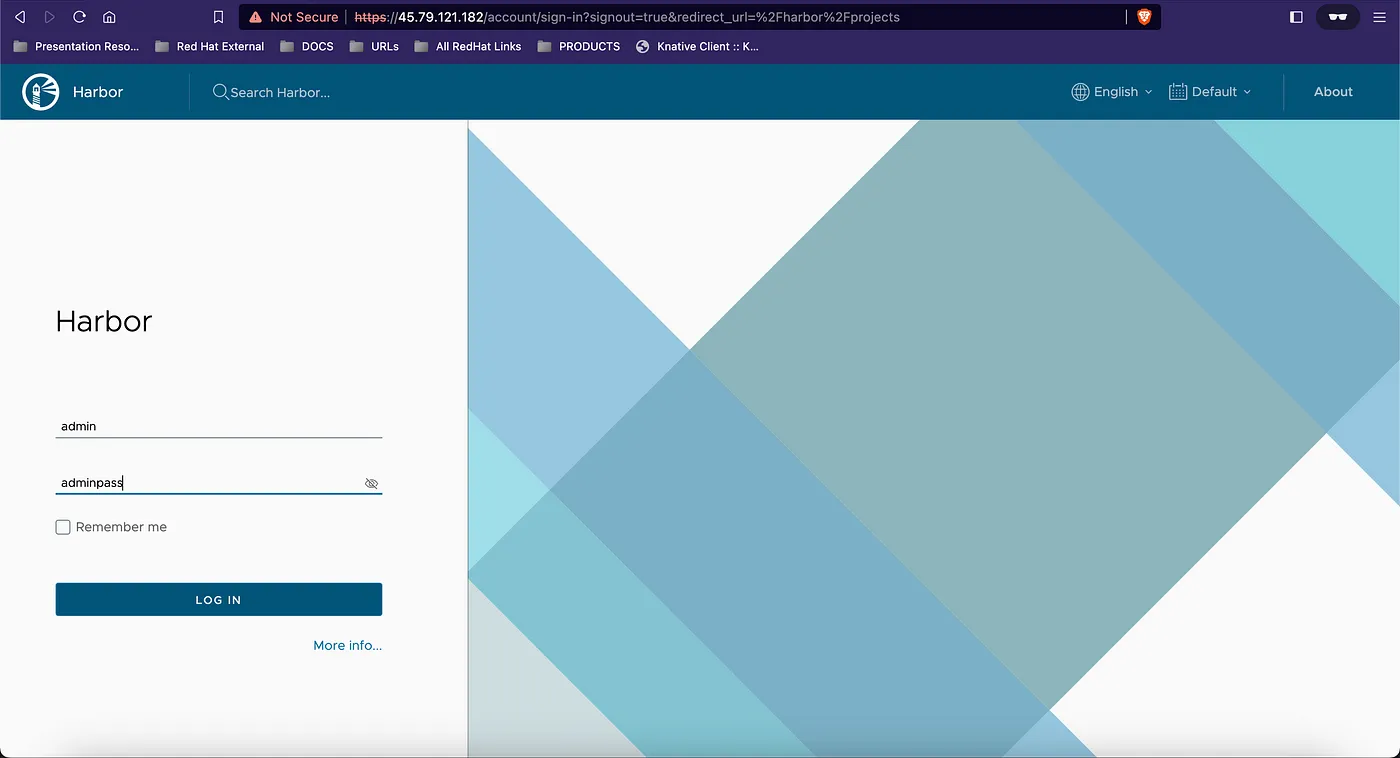
This is the Harbor Dashboard. Login using admin user and its password.
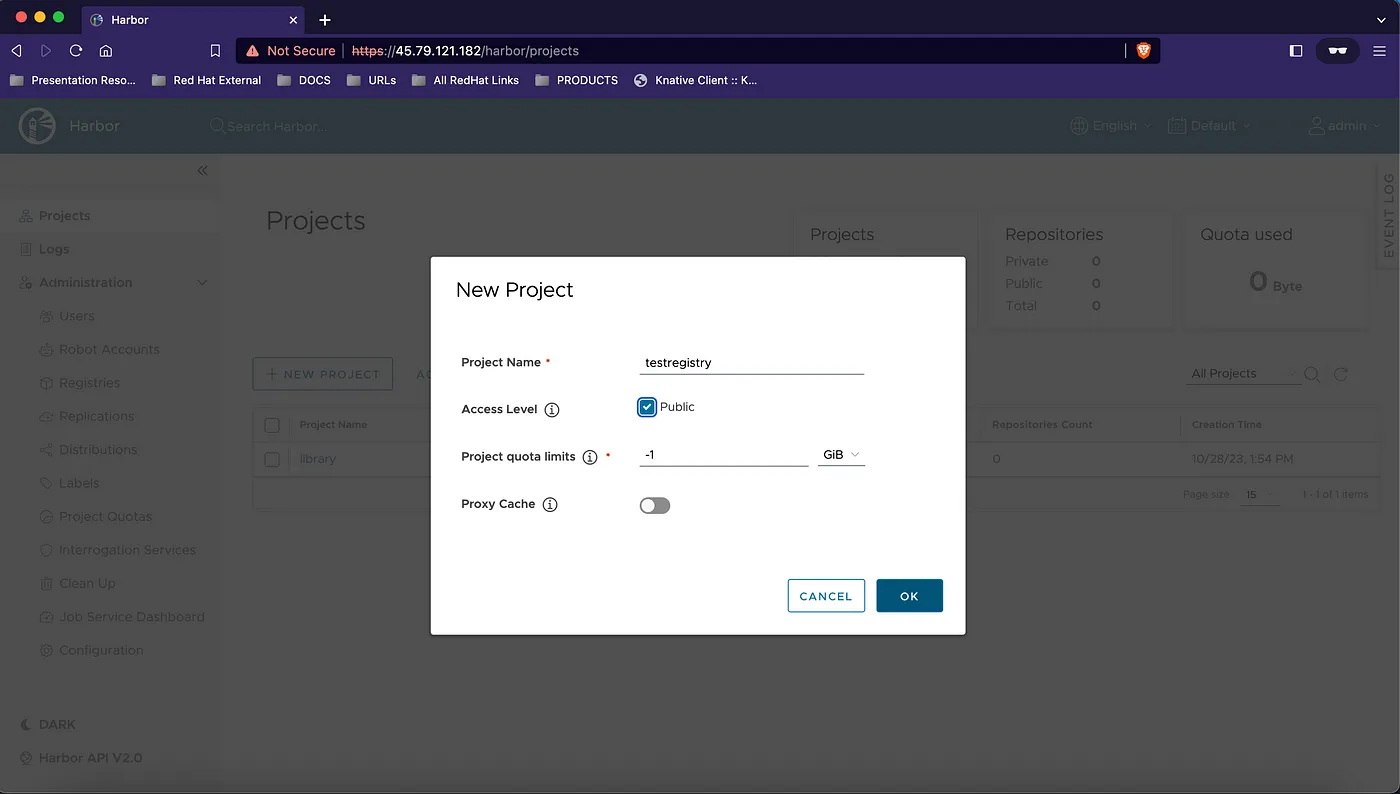
We can create a new project. This project will serve as the location for all our container images.
Add the below entry for the registry as insecure registry to skip tls verification.
vi /etc/containers/registries.conf

[[registry]]
location = "10.11.12.13"
insecure = true
Login to the private harbor registry.

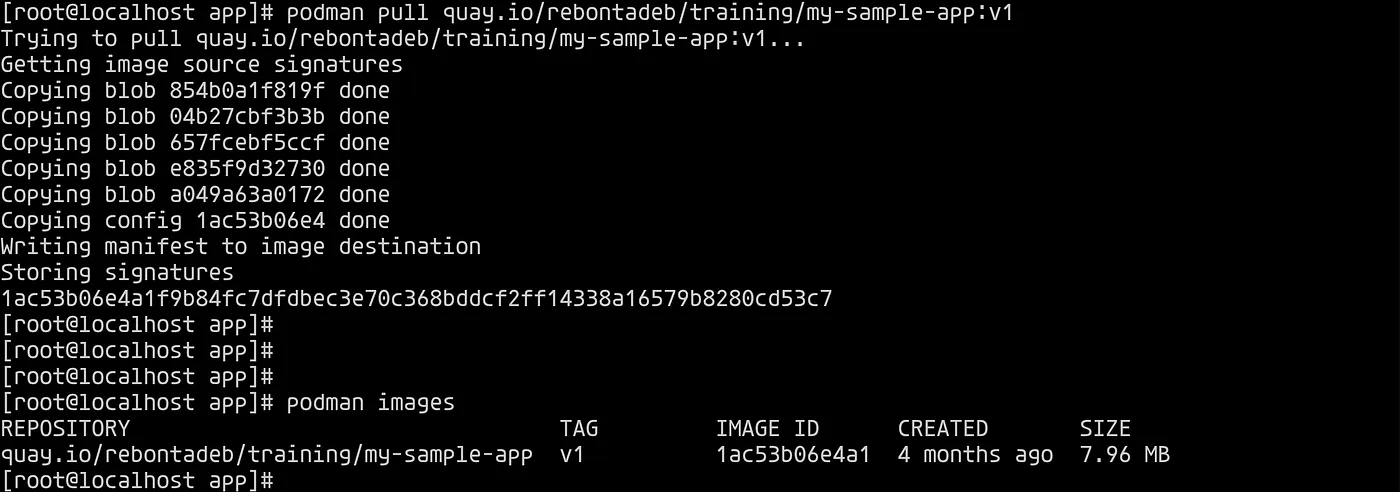
Next we pull image from one registry to push in private harbor registry.
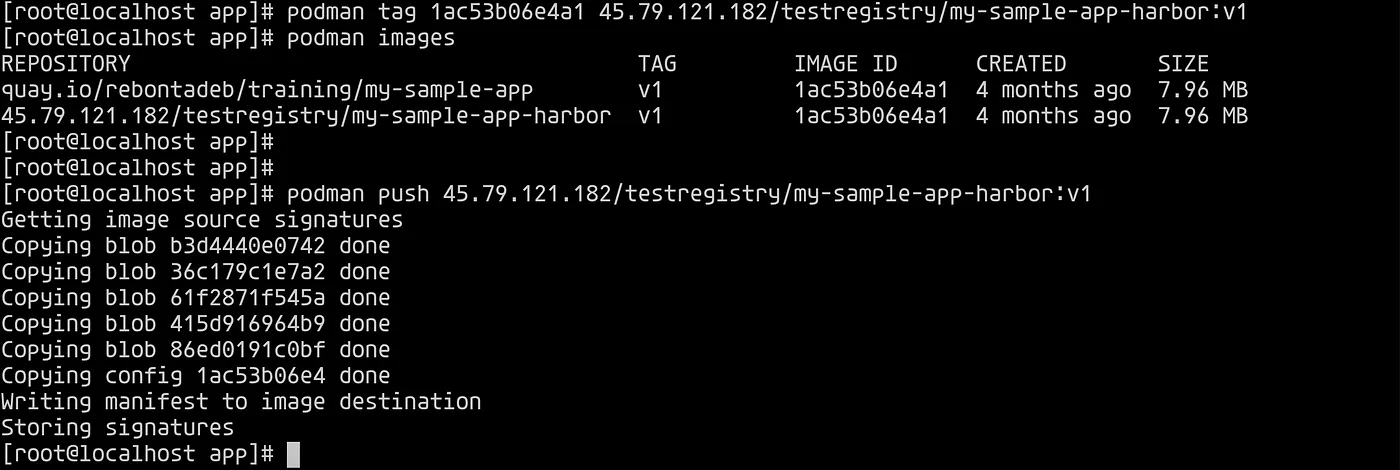
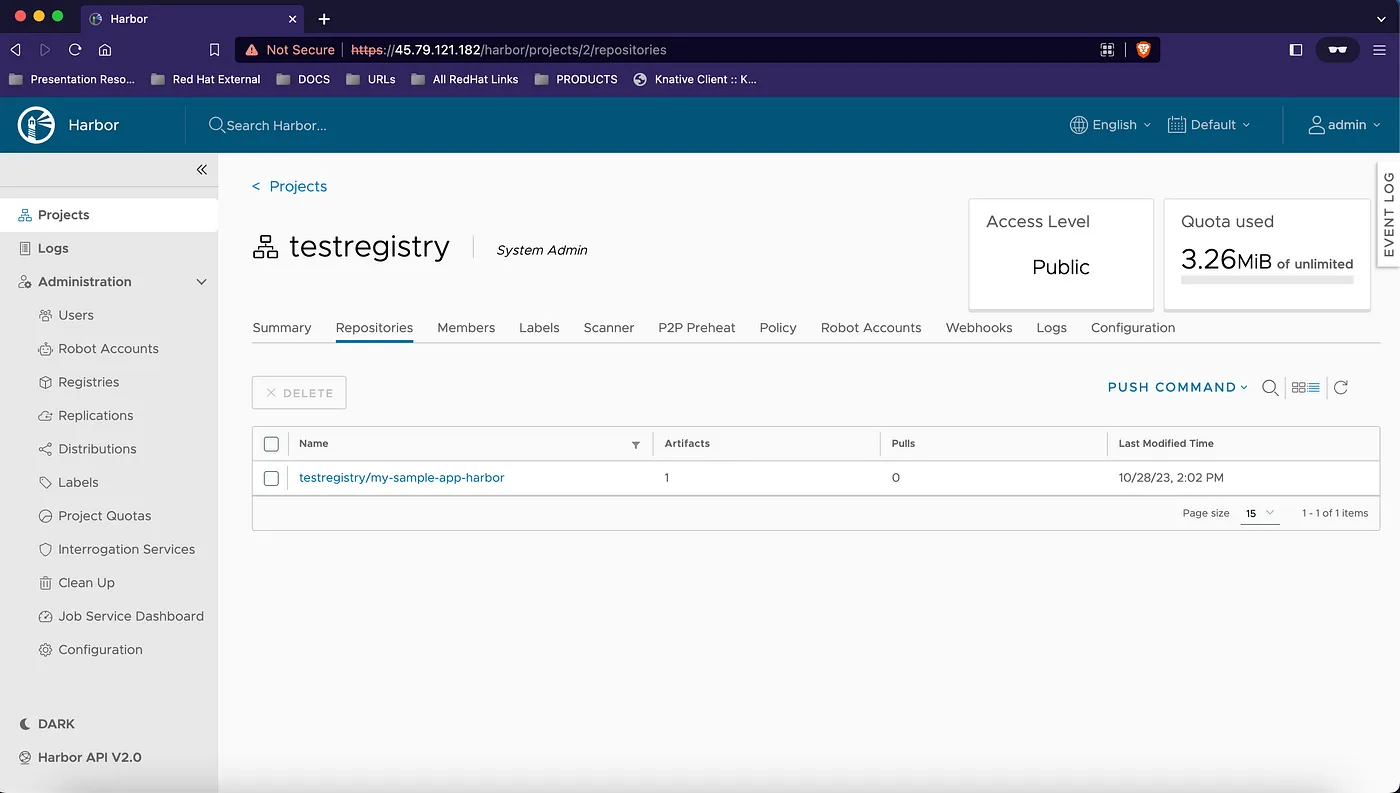
Next we tag and push the image into the private harbor registry. Notice how the new project name testregistry is used in the repository name.
Once the image is pushed check the harbor dashboard.
 In the constantly evolving world of container orchestration and microservices,
Harbor stands out as a beacon of reliability, security, and flexibility.
Its rich set of features
— from vulnerability scanning to role-based access control
— underscores its commitment to ensuring safe, efficient, and organized container image storage.
As organizations continue to migrate towards cloud-native architectures, tools like Harbor become indispensable, offering not just a place to store images, but a comprehensive solution for managing them.
With its open-source nature and the backing of the CNCF, Harbor is poised to remain a vital component of the container ecosystem for years to come.
Whether you’re a startup or an established enterprise, integrating Harbor into your DevOps pipeline is a strategic move towards achieving operational excellence.
In the constantly evolving world of container orchestration and microservices,
Harbor stands out as a beacon of reliability, security, and flexibility.
Its rich set of features
— from vulnerability scanning to role-based access control
— underscores its commitment to ensuring safe, efficient, and organized container image storage.
As organizations continue to migrate towards cloud-native architectures, tools like Harbor become indispensable, offering not just a place to store images, but a comprehensive solution for managing them.
With its open-source nature and the backing of the CNCF, Harbor is poised to remain a vital component of the container ecosystem for years to come.
Whether you’re a startup or an established enterprise, integrating Harbor into your DevOps pipeline is a strategic move towards achieving operational excellence.